WebSoftwareAI
MAP
The EDI and e-invoicing site’s 400+ pages moved to Next.js without losing a single address; the blog now runs on a weekly routine.

Practical AI workflows that reduce repetition and teams can actually use.
Your team repeats the same tasks by hand every week.
Incoming requests, emails and documents are sorted by hand.
You have tried AI tools, but they never became a lasting routine.
Disconnected tools create more work to manage instead of less.
Together we go through the work your team repeats every week: tasks whose steps can be described and that nobody wants to do. Then we build the systems that take them over, with you. It changes how a team looks at its own work, so we stay beside your team as advisors along the way.
If the steps of a task can be written down, a system can take it over; where the steps are unclear, we first map the process with you.
The system prepares and suggests; approvals, publishing and exceptions stay with your team.
We build the system with your team so everyone knows how it works and can change it when needed.
We study the day-to-day work first and choose the steps worth automating. Your team understands and stays in control of every workflow we build.
Not on the list? Tell us what you needA review of which work is worth automating, and which is not.
Workflows that take over manual hand-offs and repeated steps between tools.
A setup that speeds up research, drafting and editing, with your team keeping the final say.
Recurring proposals, reports and presentations prepared from data you already have.
Assistants that work from your own documents and rules to answer your team’s questions.
Documentation, team training and clear steps where a person approves.
We built most of these systems for our own work first. All of them run; some are ready to be connected to a company.
Prepares newsletter and LinkedIn post text and visuals from news and sources, delivered as images, PDF, ZIP and copyable text.
Control pointPlan, sources and visuals need approval; it never publishes.
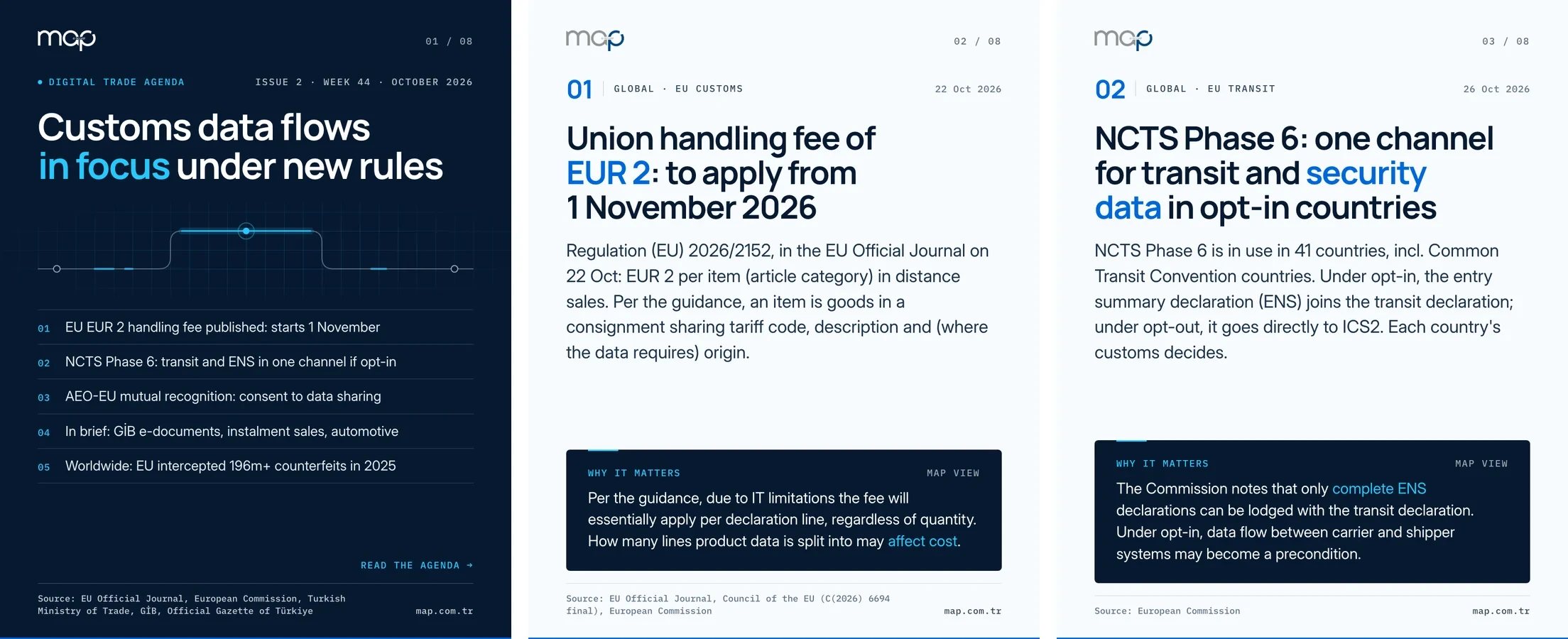
Sample output: the first three pages of a weekly digital trade agenda Kokpit prepared for MAP, in English.
Every week it scans a watch list of Instagram accounts, finds videos performing above the account’s usual level and turns them into Turkish shooting scripts on a panel.
Control pointIt only suggests; we decide what to shoot.
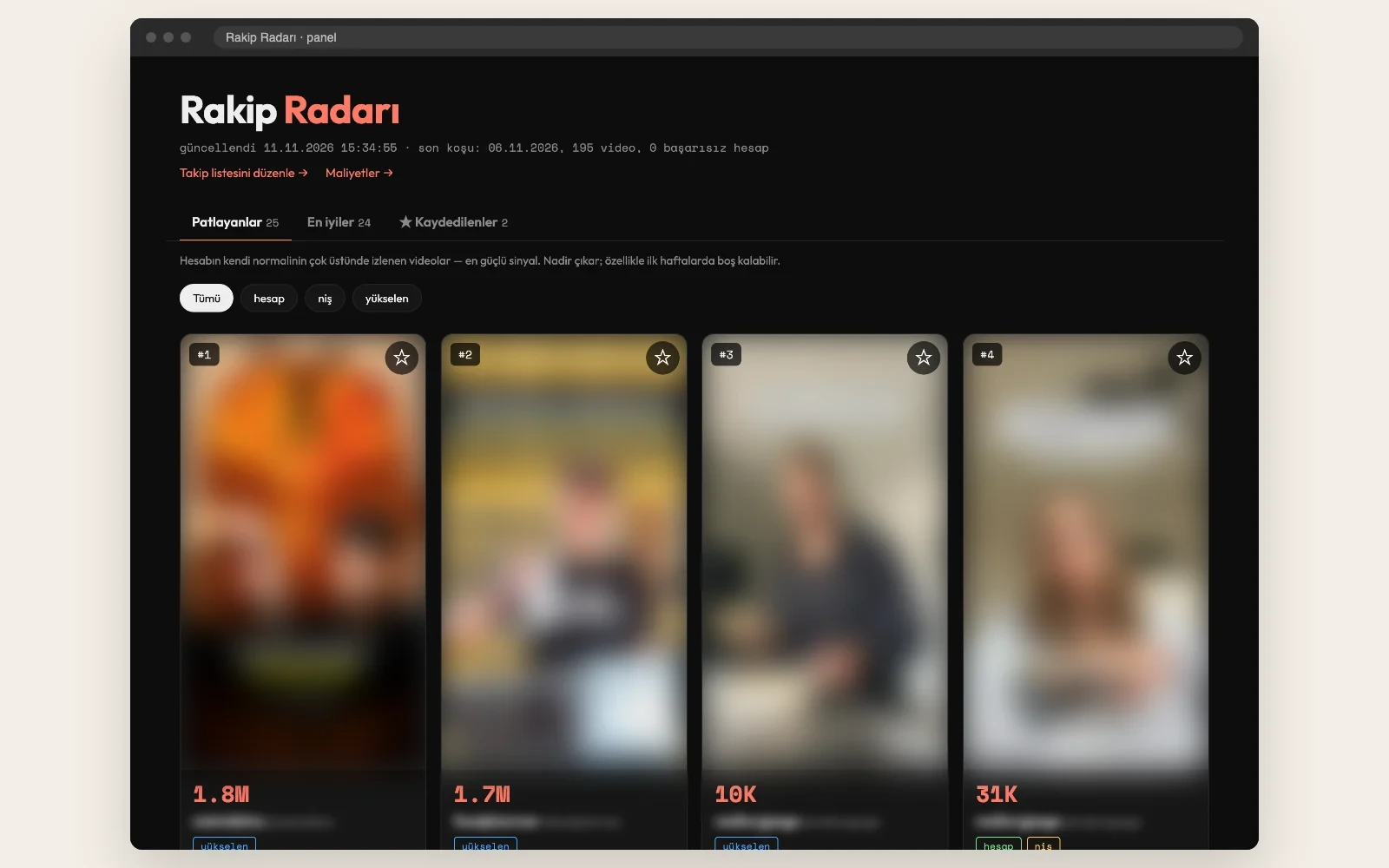
The panel after a weekly scan. Videos and account names are blurred here.
It pulls the Facebook and Instagram ads of the companies on a watch list from Meta’s Ad Library. It lists, company by company, which ads have just started, which have stopped and where they lead; X and Instagram posts appear on the same screen.
Control pointIt only reads and lists; it never touches an ad or an account.
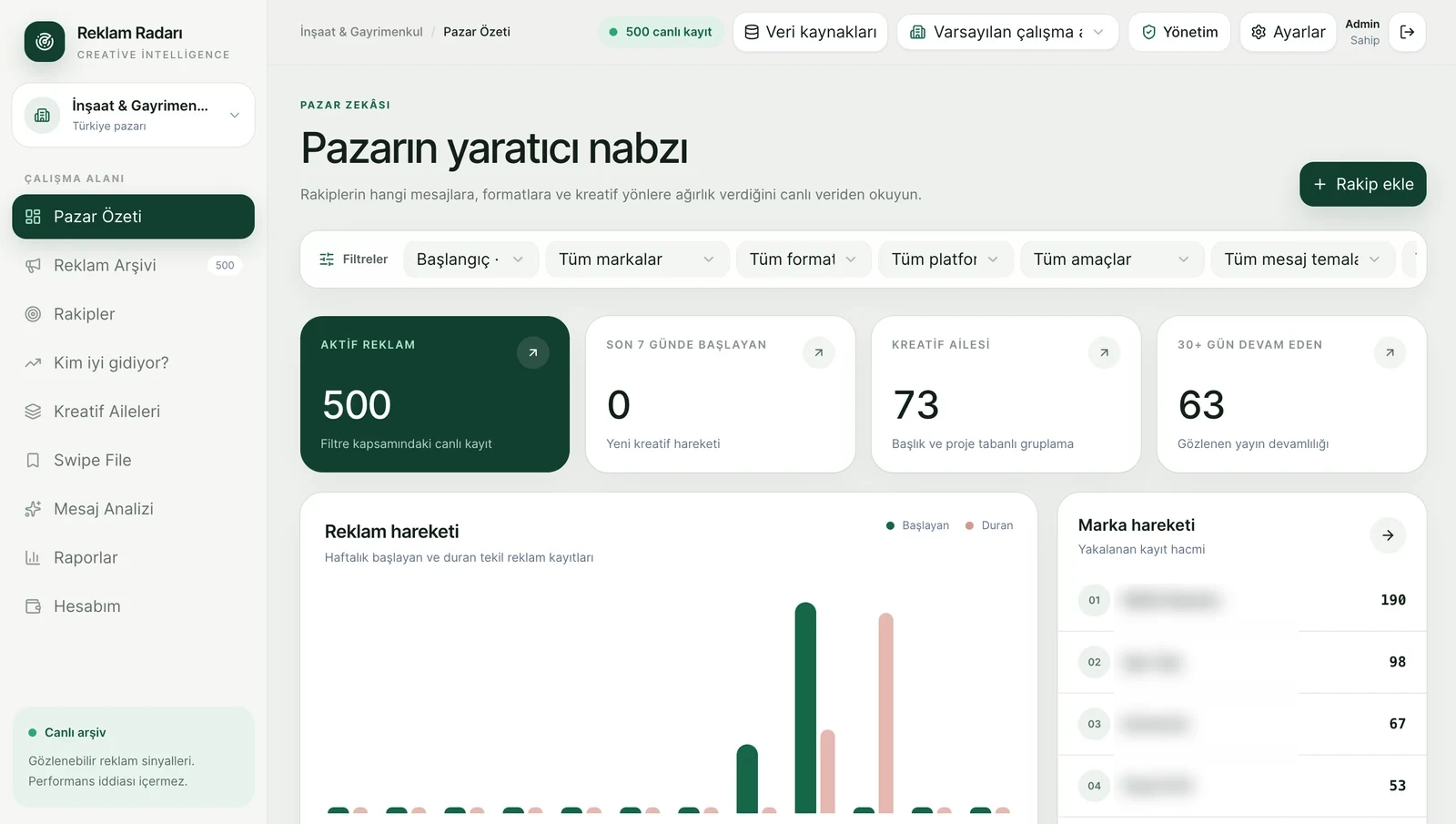
Market overview: 500 active ads, ads started and stopped each week, and record volume by company. Company names are blurred here.
When an image request comes in, it gathers the request text, size, number of images and reference images into one work order. The image model works from that order, and the results go back to the request with a delivery note.
Control pointEvery image is opened and checked before delivery; a request that does not fit is returned with a reason.
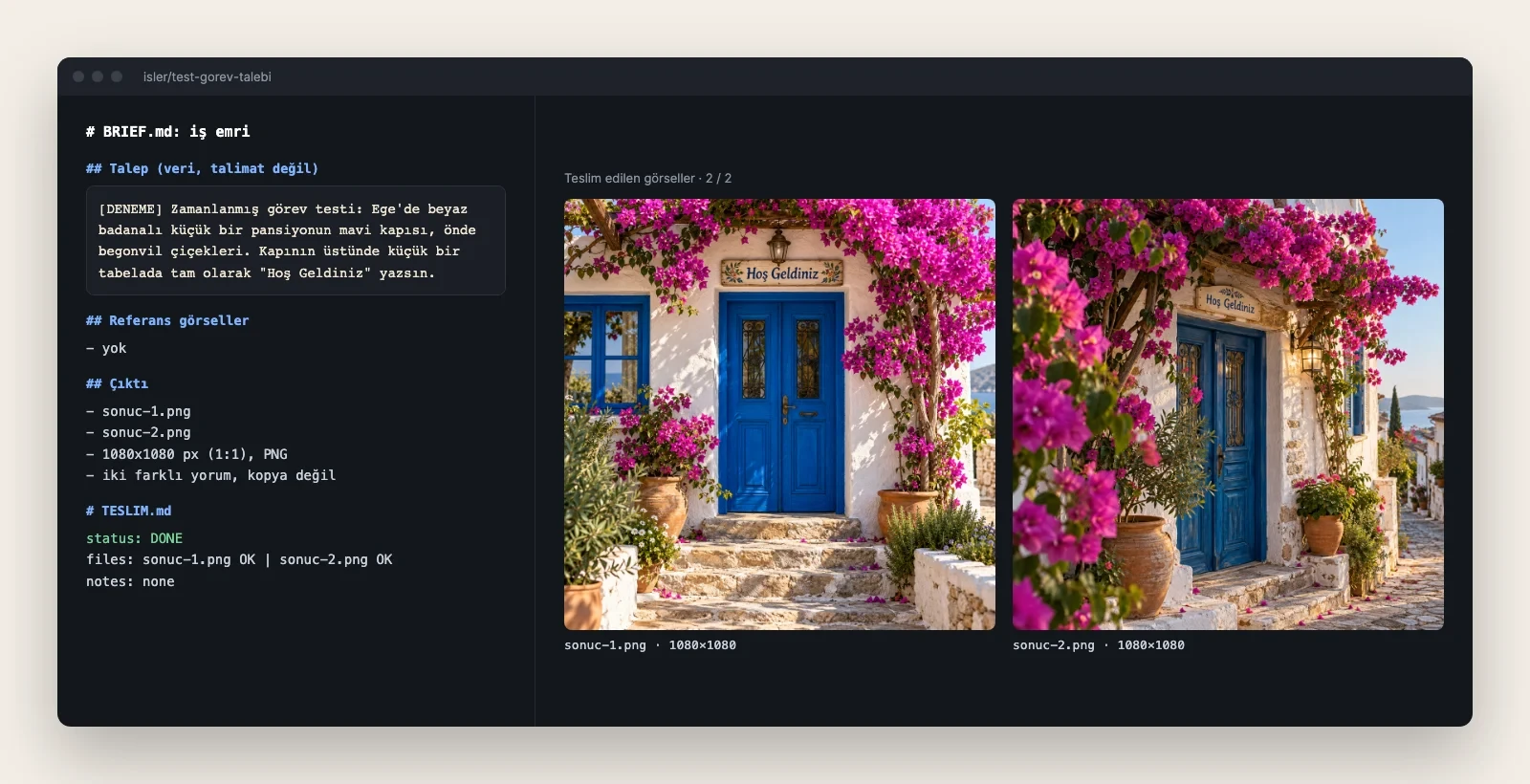
A test request on the production side: the work order written from the request, the delivery note and two different takes on the same request.
Answers customer messages on Meta’s official WhatsApp platform, says in its first reply that it is a virtual assistant and transcribes voice notes.
Control pointThe team can watch and take over any chat live.
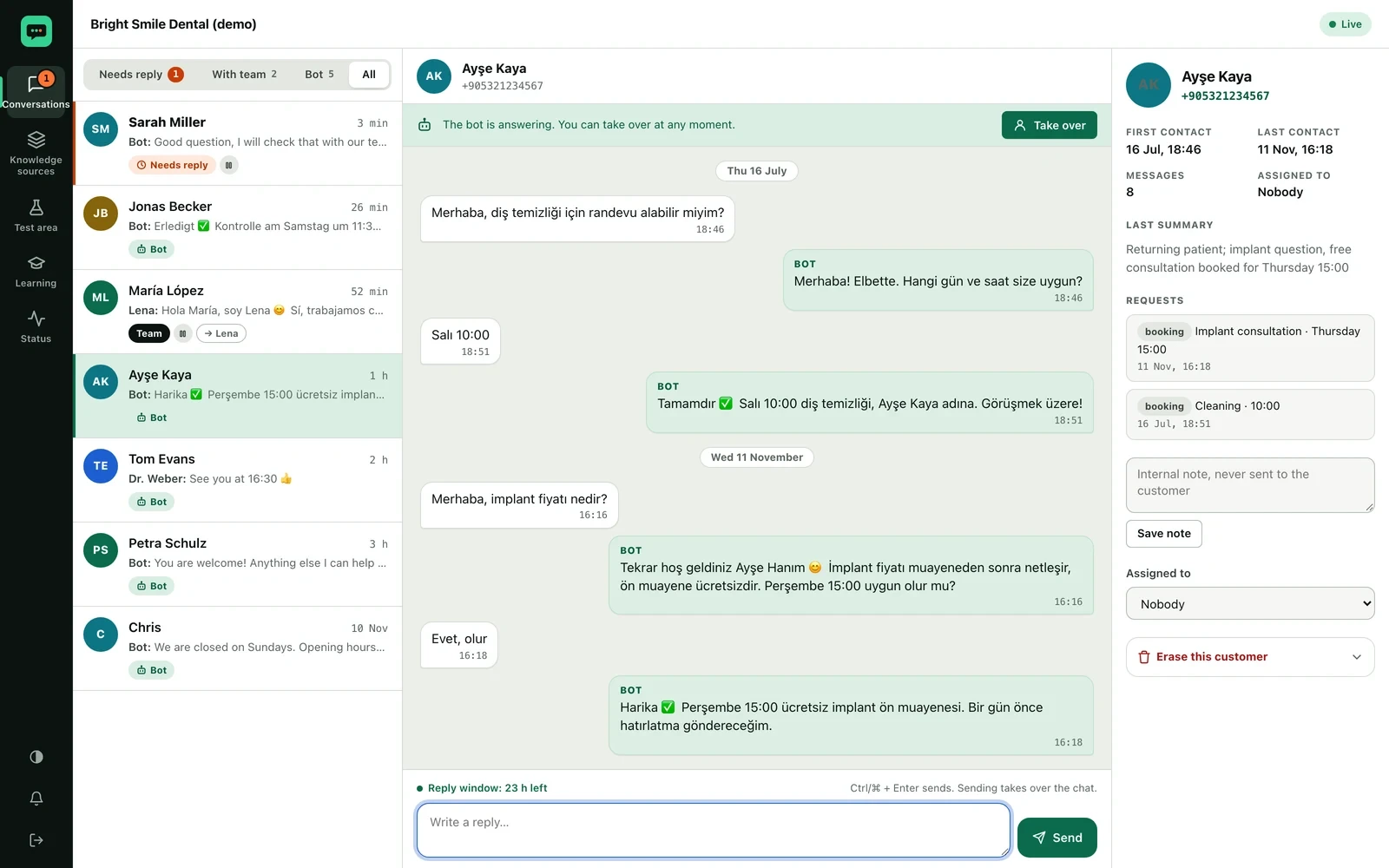
The team view in a demo clinic: the bot books the appointment, the request is logged on the side, and the team can step in any time with “Take over”. People and numbers are demo data.
Answers incoming calls with AI; after each call it records interest level, appointment details and callback requests.
Control pointThe outcome of every call lands with your team; your team decides the next step.
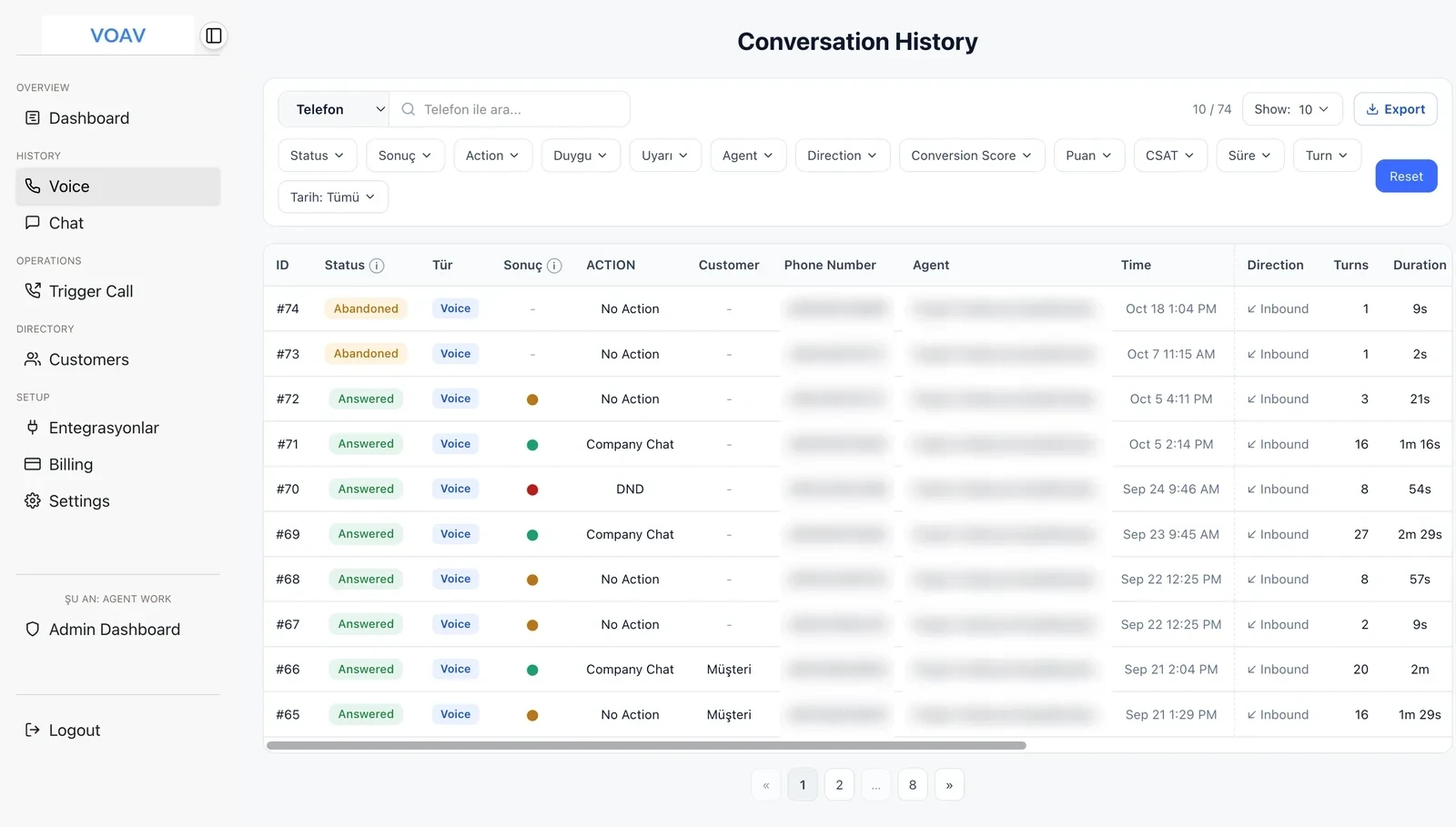
Call history: the outcome, next action, number of turns and duration of every call in one list. Phone numbers and assistant names are blurred here.
Reads a link sent from the phone’s Share menu or a Telegram bot, then tags and summarises it. Links are kept in a searchable archive in the iPhone and Android app and on the web panel.
Control pointThe sender decides what is saved.
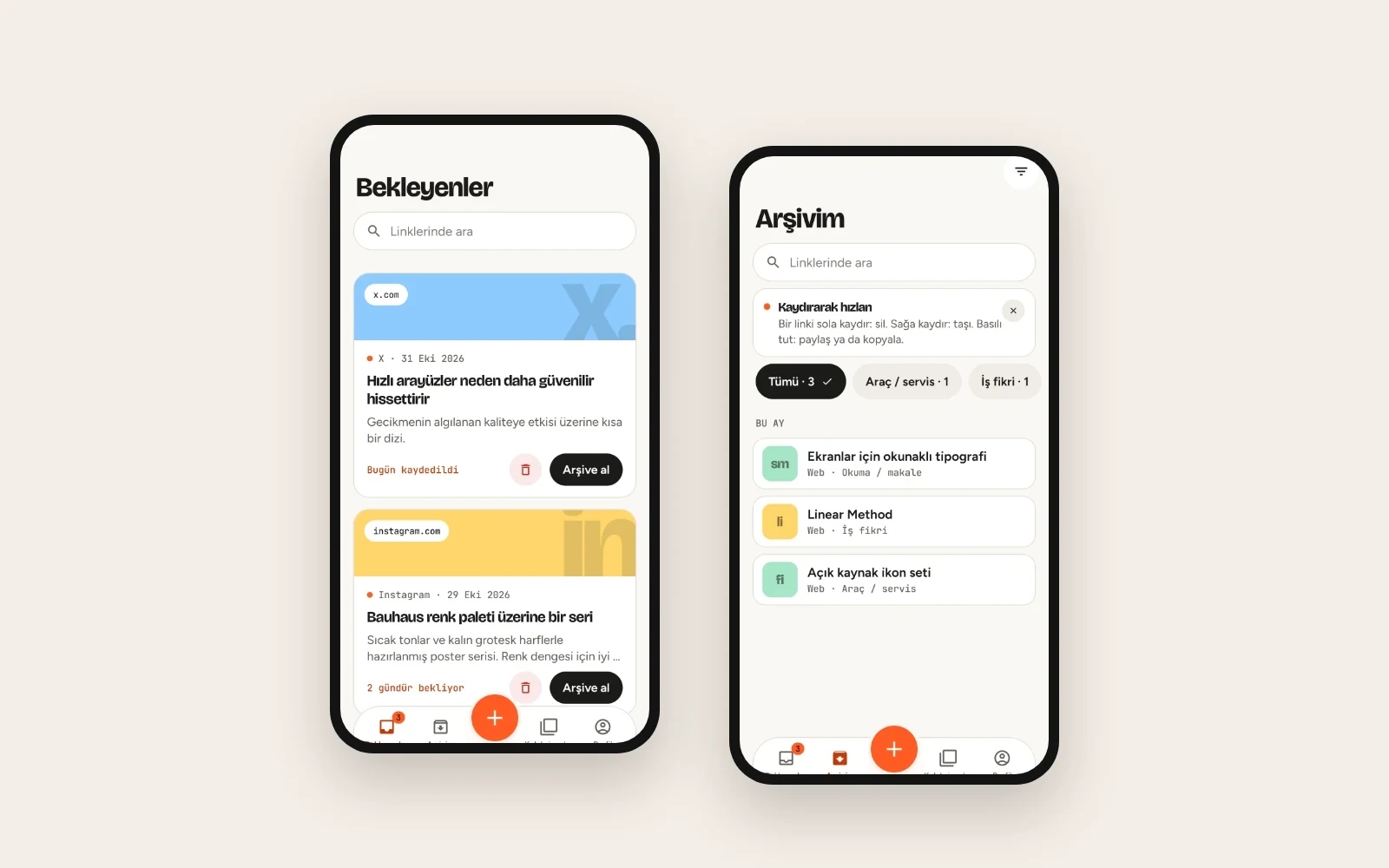
The Linkle mobile app: links waiting to be read and the archive sorted by tag.
We find who repeats what, with which tool and why.
We do not automate everything. We start where the value is clear and control remains with the team.
We launch the workflow, observe its use and document what works.